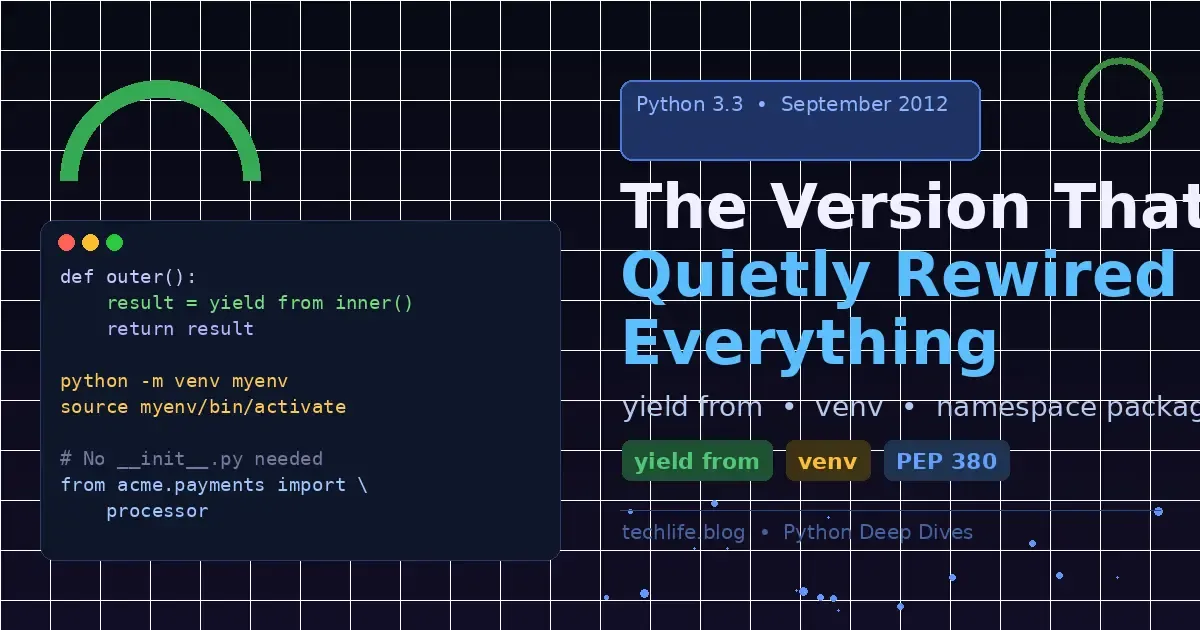
Python 3.3: The Version That Quietly Rewired Everything
- Turker Senturk
- Software
- 26 Mar, 2026
- 13 min read
September 2012. The iPhone 5 had just launched. Gangnam Style was breaking the internet. And somewhere in the Python changelog, three features shipped that most developers barely noticed — yet went on to quietly underpin everything we write in Python today.
Python 3.3 didn’t arrive with fireworks. It wasn’t a “Python 2 is dead, long live Python 3” moment. It wasn’t even particularly controversial. It was, to put it plainly, a technical release — the kind that makes compiler nerds and language designers nod approvingly while everyone else shrugs and goes back to their Django apps.
But hindsight is a brutal editor. Look back at Python 3.3 now, and you’ll see the DNA of async/await, the end of virtualenv dominance, and the loosening of Python’s rigid package structure — all baked into a single release. Not bad for a version that gets maybe one paragraph in most Python history summaries.
Let’s fix that.
yield from: The Quiet Revolution in Generator Land
Before we get to the code, a quick confession: generators were already pretty great before Python 3.3. You could pause execution, yield values one at a time, avoid loading entire datasets into memory — the whole deal. The problem? Composing generators was a pain.
If you wanted one generator to delegate to another — hand off control, pass values through, propagate exceptions — you had to write the plumbing yourself. Every time. It looked like this:
# The old way: manual generator delegation (pre-3.3)
def inner():
    yield 1
    yield 2
    yield 3

def outer():
    # Manually iterate and re-yield every value
    for value in inner():
        yield value
    yield 4
    yield 5

for val in outer():
    print(val)
# Output: 1, 2, 3, 4, 5
Fine for simple cases. But what if you needed to send values into the inner generator? What if exceptions needed to propagate correctly? What if the inner generator had a return value you needed to capture? Suddenly you’re writing a small framework every time you want to compose two generators, and it’s fragile, verbose, and easy to get wrong.
PEP 380 shipped with Python 3.3 and introduced yield from — two words that eliminated all of that boilerplate:
# The new way: yield from (Python 3.3+)
def inner():
    yield 1
    yield 2
    return "inner done"  # Return value from generator

def outer():
    result = yield from inner()  # Delegates entirely to inner
    print(f"Inner returned: {result}")
    yield 4
    yield 5

for val in outer():
    print(val)
# Output:
# 1
# 2
# Inner returned: inner done
# 4
# 5
Notice what happened there: yield from didn’t just re-yield each value. It returned the inner generator’s return value to the outer one — something the manual loop approach couldn’t do cleanly. The outer generator is now a transparent pass-through while the inner runs. Values flow in, values flow out, return values are captured, exceptions propagate correctly. The whole pipeline just works.
Bidirectional Communication
Here’s where it gets genuinely interesting. Generators in Python support two-way communication via .send(). Before yield from, making this work across a generator chain was the kind of thing that made you question your life choices:
# Two-way communication through yield from
def accumulator():
    total = 0
    while True:
        value = yield total  # Receive a value, yield the running total
        if value is None:
            break
        total += value

def pipeline():
    acc = accumulator()
    next(acc)  # Prime the inner generator
    result = yield from acc  # yield from handles .send() transparently
    print("Pipeline done")

gen = pipeline()
next(gen)           # Start it up
print(gen.send(10))  # → 10
print(gen.send(20))  # → 30
print(gen.send(5))   # → 35
The .send() call on pipeline gets transparently forwarded to accumulator. No manual forwarding. No wrapper functions. The plumbing disappears.
Why This Matters More Than You Think
Here’s the part most tutorials skip: yield from was the technical prerequisite for async/await.
When Python 3.4 introduced asyncio and Python 3.5 introduced the async/await syntax, they were built on coroutines — which were themselves built on the generator machinery that yield from perfected. An async def function is, under the hood, a generator that uses yield from semantics to hand control back to the event loop and receive results from awaited coroutines.
# This async/await code (Python 3.5+)...
async def fetch_data():
    result = await some_coroutine()
    return result

# ...is conceptually equivalent to this generator-based coroutine (Python 3.4):
@asyncio.coroutine
def fetch_data():
    result = yield from some_coroutine()
    return result
The await keyword is syntactic sugar over yield from. The event loop mechanics, the coroutine chaining, the exception propagation — all of it traces back to the semantics PEP 380 nailed down in Python 3.3. Without yield from working correctly, async/await as we know it couldn’t have been designed.
So next time you write await something(), spare a thought for the humble yield from doing the heavy lifting underneath.
venv: Python Finally Stops Pretending Global Installs Are Fine
Let’s talk about a problem that every Python developer has hit, usually on their second or third project.
You install requests version 2.18 for Project A. Then Project B needs requests 2.28 for some API feature. You upgrade. Project A breaks. You downgrade. Project B breaks. You seriously consider learning Go.
The solution — virtual environments — existed before Python 3.3. The virtualenv tool had been around since 2007 and was the de facto standard. It worked. But it was a third-party dependency, which created a chicken-and-egg problem: you needed to install virtualenv to isolate your dependencies, but to install it you needed… pip… which you might not have… in the right place…
PEP 405 shipped with Python 3.3 and introduced venv as a standard library module. No installation required. No chicken-and-egg. Just Python doing what Python should have always done:
# Create a virtual environment
python3 -m venv myproject-env

# Activate it (Linux/macOS)
source myproject-env/bin/activate

# Activate it (Windows)
myproject-env\Scripts\activate

# Your prompt changes to show the active environment
(myproject-env) $

# Now install packages — they go into the environment, not globally
pip install requests==2.28.0
pip install flask==2.3.0

# Check what's installed
pip list
# Package    Version
# --------- -------
# requests   2.28.0
# flask      2.3.0

# Deactivate when done
deactivate
Clean. Predictable. Built in. The environment lives in a directory of your choosing, contains its own Python interpreter copy and pip, and is completely isolated from other environments and the system Python.
What’s Actually Inside a venv
Understanding the internals demystifies a lot of the “why”:
myproject-env/
├── bin/                    # (Scripts/ on Windows)
│   ├── python              # Symlink or copy of the interpreter
│   ├── pip
│   └── activate            # The shell script you source
├── include/
├── lib/
│   └── python3.x/
│       └── site-packages/  # Your installed packages live here
└── pyvenv.cfg              # Configuration file
The pyvenv.cfg file is the key piece — it tells the Python interpreter where to find packages and what version created the environment:
# Contents of pyvenv.cfg
home = /usr/bin
include-system-site-packages = false
version = 3.3.0
When you activate the environment, your shell’s PATH gets prepended with the bin/ directory, so python and pip resolve to the environment’s copies instead of the system ones. It’s elegantly simple.
Reproducibility: The Real Gift
The real power of venv isn’t isolation in isolation (pun intended) — it’s what isolation enables: reproducibility. Pair a virtual environment with requirements.txt and you get something genuinely valuable:
# Freeze your exact dependencies
pip freeze > requirements.txt

# requirements.txt now looks like:
# certifi==2023.7.22
# charset-normalizer==3.2.0
# idna==3.4
# requests==2.28.2
# urllib3==1.26.16

# Anyone can recreate your exact environment
python3 -m venv fresh-env
source fresh-env/bin/activate
pip install -r requirements.txt
Your colleague, your CI pipeline, your production server — everyone gets the same versions. This seems obvious now, but in the pre-venv world, “it works on my machine” was a legitimate, infuriating answer.
venv vs virtualenv: Are They the Same?
Not quite. virtualenv (the third-party tool) remains more feature-rich — it’s faster at environment creation, supports older Python versions, and has more configuration options. Tools like pipenv, poetry, and pyenv often wrap it rather than the stdlib venv. But for day-to-day development, venv is sufficient and has the enormous advantage of being already there.
import venv

# You can also create venvs programmatically
builder = venv.EnvBuilder(with_pip=True, clear=True)
builder.create('/tmp/test-environment')
Yes, you can create virtual environments from Python code. Yes, this is occasionally useful. Yes, it feels slightly recursive in a way that Python programmers secretly enjoy.
Implicit Namespace Packages: Ditching the __init__.py Tax
Here’s a feature that sounds dry until you understand what problem it’s solving — and then it sounds very reasonable.
Before Python 3.3, every directory that wanted to be treated as a Python package needed an __init__.py file. This file could be empty, it could contain initialization code, but it had to exist. No __init__.py, no package. Python would find your directory but refuse to import from it.
# Pre-3.3: Every package directory MUST have __init__.py
mylib/
├── __init__.py          # Required! Even if empty
├── utils/
│   ├── __init__.py      # Required! Even if empty
│   └── helpers.py
└── models/
    ├── __init__.py      # Required! Even if empty
    └── user.py
For most projects, this was just a minor annoyance — a few empty files cluttering your directory tree. But for large distributed packages (think: a company’s internal library spread across multiple repositories, or a framework’s plugins contributed by different teams), it created a real architectural problem.
The Namespace Package Problem
Imagine you’re building a plugin system. Your company has a top-level namespace acme, and different teams contribute packages under it:
# Team A's repository
acme/
└── payments/
    └── processor.py

# Team B's repository
acme/
└── shipping/
    └── tracker.py
Both teams want their code importable as acme.payments and acme.shipping. But if both repositories have acme/__init__.py, installing both in the same environment causes one to shadow the other. The first one Python finds “owns” the acme namespace, and the second team’s code becomes invisible.
Python 3.3’s implicit namespace packages — introduced via the updated import system — solved this by allowing directories without __init__.py to be treated as namespace packages: partial packages that can be spread across multiple directories and merged by the import system.
# Python 3.3+: No __init__.py needed for namespace packages
# Team A installs: acme/payments/processor.py (no __init__.py in acme/)
# Team B installs: acme/shipping/tracker.py (no __init__.py in acme/)

# Both work simultaneously!
from acme.payments import processor
from acme.shipping import tracker
Python’s import machinery scans all entries in sys.path, finds all directories named acme, and merges them into a single namespace. No conflicts, no shadowing, no __init__.py required.
Regular Packages vs Namespace Packages
The distinction matters — regular packages (with __init__.py) and namespace packages (without) behave differently:
import sys

# Check if something is a namespace package
import acme
print(type(acme))
# <class 'module'> for regular packages
# <class 'module'> for namespace packages too, but...

print(acme.__path__)
# Regular package: ['/path/to/site-packages/acme']
# Namespace package: _NamespacePath(['/path/one/acme', '/path/two/acme'])
The __path__ attribute tells the story. A namespace package’s path is a _NamespacePath that spans multiple physical directories. When you do from acme.payments import processor, Python iterates over all those paths looking for payments/.
Practical Implications
For everyday single-project development, namespace packages are mostly background infrastructure — you probably won’t notice them. But they underpin several important real-world patterns:
# Plugin systems: plugins can extend a namespace without coordination
# main_app/plugins/__init__.py doesn't need to know about third-party plugins

# contrib.plugin_one (installed separately)
# contrib.plugin_two (installed separately)
# Both contribute to 'contrib' namespace without conflict

# Testing: you can add test files alongside source without __init__.py
# src/
#   mypackage/
#     module.py
# tests/
#   test_module.py   ← no __init__.py needed
The implicit namespace package system also made Python’s import machinery more explicit and predictable. The new import system (also part of Python 3.3, via PEP 302’s successor) made it easier to understand exactly how Python finds and loads modules — which paid dividends for tools like pytest, coverage, and mypy that need to introspect Python’s import behavior.
The Bigger Picture: Three Features, One Direction
Step back and look at what these three features have in common: they’re all about removing friction from the things Python developers do every day.
yield from removed the friction of composing generators — and in doing so, made the event loop model of async programming expressible in clean syntax. venv removed the friction of environment isolation — and in doing so, made reproducible, shareable Python setups a first-class citizen. Namespace packages removed the friction of distributed package architectures — and in doing so, made large-scale Python projects more composable.
None of these features are flashy. None of them made headlines. But software doesn’t move forward through flashy features — it moves forward through the removal of things that annoy smart people every day until someone finally just fixes them.
Python 3.3 was, in a very real sense, the version that started fixing Python for real.
# A small time capsule: all three features together
import venv
import os

# Create an isolated environment (venv)
venv.create("demo_env", with_pip=False)

# A generator pipeline using yield from
def countdown(n):
    while n > 0:
        yield n
        n -= 1
    return "liftoff"

def mission():
    status = yield from countdown(5)
    print(f"Status: {status}")
    yield "🚀"

# Run it
for event in mission():
    print(event)

# Output:
# 5
# 4
# 3
# 2
# 1
# Status: liftoff
# 🚀
Not bad for a version released the same month as Gangnam Style. Python 3.3 didn’t make noise. It just made Python better — which, in the long run, is the more important thing.
Quick Reference: What Python 3.3 Actually Shipped
| Feature | PEP | What It Does | Why It Matters |
|---|---|---|---|
yield from | PEP 380 | Delegates generator execution to a sub-generator | Foundation for async/await in Python 3.5+ |
venv | PEP 405 | Built-in virtual environment creation | Eliminated dependency on third-party virtualenv |
| Namespace Packages | — | Packages without __init__.py | Enables distributed/plugin package architectures |
u"" string prefix | PEP 414 | Re-added for Python 2 migration compatibility | Eased porting of Python 2 code |
__qualname__ | PEP 3155 | Qualified names for functions and classes | Better introspection, cleaner tracebacks |
decimal module C impl | — | Fast C implementation of the decimal module | Significant performance boost for decimal arithmetic |
Python 3.3 is the version you probably skipped over in every Python history article you’ve ever read. That’s fine. The best infrastructure is invisible. You’re using it anyway.
Share :
Stay Ahead in Tech
Join thousands of developers and tech enthusiasts. Get our top stories delivered safely to your inbox every week.
No spam. Unsubscribe at any time.