Samsung Wallet Meets Toyota: Your Phone as a Car Key
- Turker Senturk
- Technology
- 13 Jan, 2026
- 10 min read
Samsung Wallet Meets Toyota: Your Phone as a Car Key
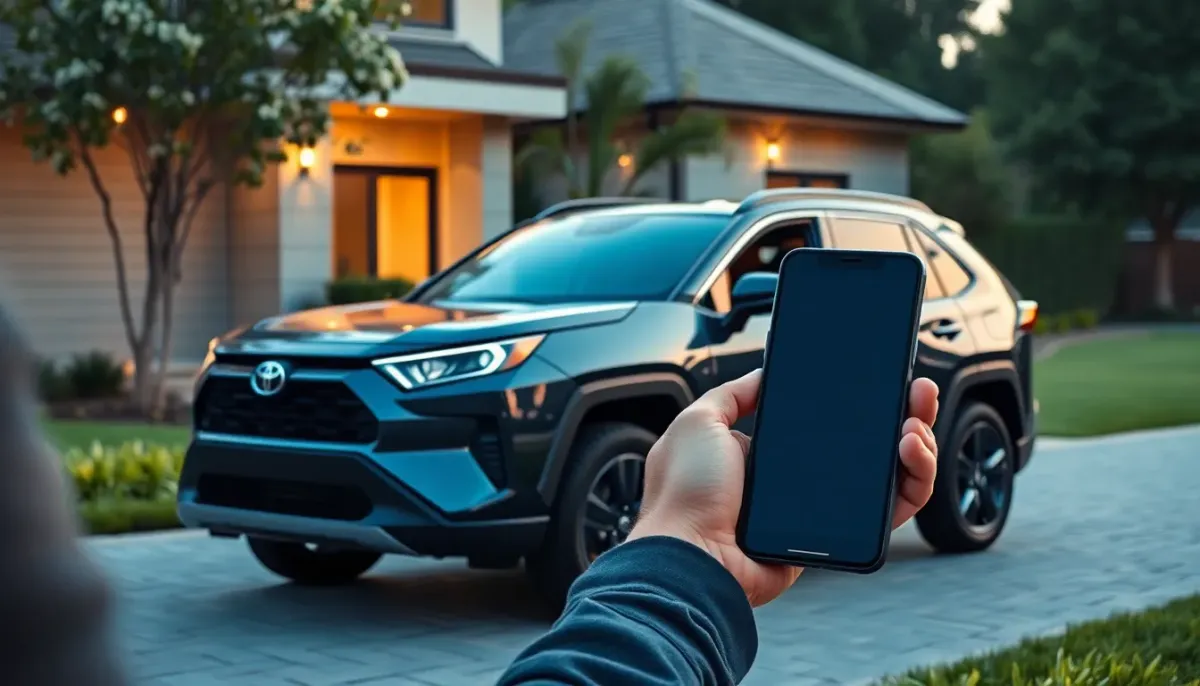
If you’ve ever fumbled for a house key while juggling groceries, you’ll understand the tiny thrill that comes from a phone‑only unlock. Now Samsung is trying to give that same “no‑keys‑needed” feeling to your car. Starting this month, Samsung Wallet will let owners of select 2026 Toyota RAV4s open, lock, and even start their vehicle straight from a Galaxy phone. It’s not just a gimmick—there’s a lot of engineering, security, and everyday‑use thinking behind it. Let’s unpack what’s really happening, why it matters, and where the road might lead.
“Samsung Wallet is designed to remove friction from daily life through the combination of seamless convenience and uncompromising security,” said Woncheol Chai, EVP and Head of the Digital Wallet Team at Samsung Electronics [1].
Why a Digital Car Key, Anyway?
Imagine you’re pulling into a crowded parking lot. You’ve got bags, a coffee, maybe a toddler. You pull up, and instead of digging for a metal key fob, your phone buzzes, the doors pop open, and you’re already in the driver’s seat. That’s the promise of a digital key: fewer things to carry, less chance of lock‑outs, and a smoother hand‑off when you’re sharing the car with a family member or friend.
But it’s more than convenience. Car manufacturers have been flirting with keyless entry for years, yet most solutions still rely on a separate fob that can be lost, cloned, or simply forgotten. By moving the key into a device we already protect with biometrics, encryption, and remote‑wipe capabilities, the attack surface shrinks—if you do it right.
How Samsung Wallet Pulls This Off
Two radios, one job: UWB and NFC
Samsung isn’t betting on a single technology. The digital key uses Ultra‑Wideband (UWB) for hands‑free, precise proximity detection, and Near‑Field Communication (NFC) for a quick tap‑to‑unlock when you’re right up against the door.
-
UWB works a bit like a radar. It can tell the car exactly how far away your phone is—down to a few centimeters—so the doors only unlock when you’re genuinely standing next to the vehicle. That precision makes it harder for a thief with a rogue device to spoof your presence. Samsung’s UWB‑enabled phones include the Galaxy S21 Ultra up through the newest S25 Ultra models [2].
-
NFC is the fallback. If you’re in a tight spot where UWB can’t get a clear line of sight (think a garage with metal walls), a quick tap on the door handle does the trick. Samsung’s NFC‑enabled lineup is even broader, covering everything from the S20 Ultra to the latest Z Flip and Fold series [3].
Both radios are managed by the Samsung Knox security platform, which stores the digital key in a hardware‑isolated enclave on the device. The key itself meets EAL 6+ certification—an evaluation level that demands rigorous testing against side‑channel attacks and other advanced threats [4][5].
The onboarding dance
Getting the key onto your phone isn’t a magical “one‑click” affair; it’s a short, but well‑guided process:
-
Check compatibility – Your Galaxy phone needs either UWB or NFC (most recent flagships qualify). Your Toyota must be a 2026 RAV4 equipped with the new Digital Key hardware (other models are slated to follow).
-
Open Samsung Wallet – There’s a dedicated “Digital Key” tab. Tap “Add Vehicle,” scan the QR code on the car’s infotainment screen, and follow the on‑screen prompts.
-
Authenticate – You’ll be asked to confirm your identity with a fingerprint, face scan, or PIN. This step locks the key to your biometric profile.
-
Confirm with the car – The vehicle will flash a light or display a message once it’s paired. You can now test the lock/unlock function right there.
If you ever lose your phone (or it gets stolen), the Samsung Find service lets you remotely lock or delete the key. The car itself will refuse any further commands from that device, and you can re‑issue a fresh key to a new phone in minutes.
Sharing, but not oversharing
One of the neat side‑effects of a digital key is the ability to share access without handing over a physical fob. Within Samsung Wallet you can generate a temporary digital key for a friend, neighbor, or even a rideshare driver. You set an expiration date, and you can revoke it instantly if plans change. The sharing process is encrypted end‑to‑end, so even Samsung can’t read the key data.
Real‑World Scenarios
The multi‑driver household
My sister just bought a 2026 RAV4 and gave me a digital key for the weekend. I could lock and unlock the car from my Galaxy S24 Ultra, and when she needed the car back, she simply hit “revoke” in her Wallet. No fob juggling, no “who has the key?” arguments at the kitchen table.
The short‑term rental
If you ever rent a car through a platform that supports Samsung Wallet, you could skip the paperwork entirely. The rental company would generate a time‑bound key that expires when you return the vehicle. No more waiting in line at the desk for a plastic card that you’ll probably lose.
The “what‑if” of a stolen phone
A few weeks ago, a friend’s phone was snatched while they were on a coffee run. Because the digital key lives inside Knox, they could lock it down via Samsung Find before the thief even had a chance to try the car. The car remained locked, and the key was purged from the stolen device. The whole episode took about five minutes to resolve.
Security: The Good, the Bad, and the “We’re Watching”
No tech rollout is complete without a security audit, and the digital key space is a prime target for attackers. Here’s where Samsung shines—and where we still have to keep our eyes open.
What Samsung does right
-
Hardware isolation – Knox stores the key in a Trusted Execution Environment (TEE), separate from the Android OS. Even if malware compromises the OS, the key stays locked away.
-
EAL 6+ certification – This isn’t a marketing badge; it’s a formal evaluation by independent labs that tests resistance to side‑channel attacks (like power analysis) and other sophisticated exploits.
-
Remote revocation – The Find service lets you wipe the key instantly. In the old‑school fob world, you’d have to re‑program the car’s ECU—a costly dealer visit.
-
UWB precision – By measuring distance rather than just presence, UWB reduces relay‑attack risk, where a thief amplifies a signal from a legitimate key to unlock a car from afar.
Where the risk remains
-
Device loss – If you don’t enable Find quickly, an attacker could brute‑force the device’s lock screen (though modern biometrics make this unlikely).
-
Supply‑chain bugs – Any vulnerability in the underlying Android platform could, in theory, be leveraged to extract the key from the TEE. Samsung’s monthly security patches help, but you still need to stay up‑to‑date.
-
Human error – Sharing a key with the wrong person or forgetting to revoke it after a trip can create a lingering access point. The UI is decent, but it’s still a manual step.
Overall, the security model feels much stronger than a traditional fob, but it’s not a silver bullet. As with any password‑like secret, the user’s habits matter.
How This Fits Into the Bigger Picture
A step toward the “phone as identity”
Samsung Wallet already stores payment cards, IDs, boarding passes, and now car keys. The idea is to turn your phone into a single, secure vault for everything you need to prove who you are. If you can unlock your car, pay for coffee, and board a plane—all with the same biometric—your daily friction drops dramatically.
The industry is moving in that direction. Apple’s CarKey (launched with BMW in 2020) and Google’s upcoming “Digital Car Keys” API both aim for similar integration. Samsung’s partnership with Toyota is a clear signal that the Android ecosystem wants a slice of that pie.
Toyota’s digital strategy
Toyota has been relatively conservative with software compared to, say, Tesla. By embracing Samsung’s solution, they’re:
-
Accelerating time‑to‑market – Building a custom key platform from scratch would take years. Leveraging Samsung’s existing stack lets Toyota roll out the feature across markets quickly.
-
Standardizing on CCC – The Car Connectivity Consortium (CCC) defines the UWB and NFC protocols for automotive use. Aligning with that standard means future Toyota models can adopt the same digital key tech without a major redesign.
-
Gathering data – With a digital key, Toyota can collect anonymized usage stats (how often drivers use hands‑free vs. tap, how many share keys, etc.) to improve future services.
The road ahead: more models, more ecosystems
Right now, the rollout is limited to the 2026 RAV4 in North America, with a broader European launch slated for later this year [6]. Samsung hinted that additional Toyota models—likely the Corolla and Highlander—will follow. Beyond Toyota, Samsung has already spoken about extending Digital Key support to other OEMs that adopt the CCC standard.
If the ecosystem expands, we could see a future where any compatible phone becomes a universal key for your car, garage door, bike lock, and maybe even your home’s front door—all managed from a single Wallet app.
Should You Jump In?
Pros
- Convenience – One less object to carry; instant key sharing.
- Security – Knox, EAL 6+, remote revocation, and UWB precision.
- Future‑proofing – As more cars adopt digital keys, you’ll already be set up.
Cons
- Device dependency – If your phone dies, you need a backup (most cars still include a physical key for emergencies).
- Compatibility limits – Only select Galaxy phones and 2026 RAV4s (for now).
- Learning curve – Setting up the key takes a few minutes, and you have to remember to keep your phone charged.
If you already own a recent Galaxy flagship and a 2026 RAV4, the upside probably outweighs the hassle. For everyone else, it’s worth keeping an eye on the rollout—especially if you’re already using Samsung Wallet for payments and IDs.
Bottom Line
Samsung Wallet’s Digital Key for Toyota isn’t just a flashy feature; it’s a concrete step toward a world where our phones act as the central hub for identity, access, and payment. The technology blends UWB’s precise proximity detection with Knox’s hardened security, and it does so in a way that feels natural—just another app you already have on your home screen.
There are still kinks to iron out (device loss scenarios, broader model support), but the fundamentals are solid. If you’ve ever dreamed of walking up to your car, pulling out your phone, and watching the doors swing open without a single fob in sight, that dream is now a reality—at least for a slice of the market. And as more automakers and phone makers join the party, the “no‑keys” future looks less like a sci‑fi plot and more like the next chapter in everyday convenience.
Sources
- Samsung Electronics press release, “Samsung Wallet Introduces Digital Key Access for Select Toyota Vehicles,” Jan 13 2026.
- Samsung Mobile documentation, Ultra‑Wideband (UWB) supported devices list.
- Samsung Mobile documentation, Near‑Field Communication (NFC) supported devices list.
- Samsung Knox platform, security certifications overview.
- Common Criteria Evaluation Assurance Level (EAL) 6+ description, accessed Jan 2026.
- Car Connectivity Consortium (CCC) rollout plan for Digital Key in Europe, 2026.
Share :
Stay Ahead in Tech
Join thousands of developers and tech enthusiasts. Get our top stories delivered safely to your inbox every week.
No spam. Unsubscribe at any time.