Build Your Own 100TB NAS in 2025: Complete TrueNAS Storage Guide
- Turker Senturk
- Hardware
- 24 Dec, 2025
- 18 min read
Quick Answer
Building a 100TB NAS in 2025 is easier and cheaper than ever. Here’s what you need:
- Operating System: TrueNAS SCALE (Linux-based, Docker support, actively developed)
- Drives: Eight 18-22TB CMR enterprise drives (Seagate Exos X20, WD Ultrastar HC560, or Toshiba MG series)
- Motherboard: Supermicro X12STH-F with IPMI, 8 SATA ports, and ECC support
- CPU: Intel Xeon E-2300 series or AMD Ryzen 5 5600G
- RAM: 32-64GB ECC DDR4
- HBA: Broadcom LSI 9300-8i flashed to IT mode
- Network: 10GbE SFP+ for serious throughput
- Total Cost: Around $2,500-3,500 for 100TB usable storage
This build costs roughly $2,500 upfront and saves you thousands compared to cloud storage or pre-built NAS boxes over five years.
Why Build a 100TB NAS?
Data is exploding everywhere. 4K video editing, high-resolution photography, AI projects, and home lab experiments all need massive storage. Cloud storage seems convenient, but the math doesn’t work out:
- 100TB on Backblaze B2 at $5/TB/month = $6,000+ over five years
- Plus egress fees every time you download your own data
- Plus trusting your data to someone else’s servers
Consumer NAS boxes from Synology or QNAP top out at 8-12 drive bays and get expensive fast. Enterprise solutions from NetApp work great but cost more than a car.
A DIY NAS with TrueNAS gives you enterprise-grade ZFS reliability at a fraction of the cost. You control the hardware, security, and upgrades.
Cost Comparison: DIY vs Pre-built vs Cloud
| Option | Upfront Cost | Drive Bays | 5-Year Total Cost | Best For |
|---|---|---|---|---|
| DIY NAS | $2,500-3,000 | 8-12+ | ~$2,500-3,500 | Maximum flexibility, power users |
| Synology/QNAP | $2,000-3,000 + drives | 8-12 | ~$4,000-5,000 | Easy setup, limited expansion |
| Cloud (B2, Wasabi) | None | Unlimited | $6,000-8,000 | Pay-as-you-go, slower restores |
Assumes $0.15/kWh electricity and no drive replacements. DIY wins on cost and flexibility.
When Does 100TB Make Sense?
A 100TB pool makes sense if you:
- Work with terabytes of raw video footage regularly
- Store large research datasets or AI training data
- Consolidate family photo backups, Plex libraries, and VM storage
- Need plenty of room for snapshot history and off-site replication
If your needs are under 20TB, a simple 2-4 bay Synology or single RAIDZ1 vdev works fine. Don’t overbuild.
Important: Once you create a ZFS pool, you can’t remove vdevs. Plan for growth from the start. OpenZFS 2.3 now supports RAIDZ expansion, but it’s still new—adding new vdevs or replacing drives remains the proven method.
Hardware Selection Guide

Your hardware choices determine reliability, performance, and longevity. Here’s what to pick in 2025.
CPU Options
| Category | Examples | TDP | ECC Support | Best For |
|---|---|---|---|---|
| Low Power | Intel N100, AMD Mendocino | 6-9W | No | Basic file sharing, light Plex |
| Mainstream | AMD Ryzen 5 5600G, Intel i3-12100 | 65W | Ryzen Pro: Yes | Docker, moderate VM use |
| Server Grade | Xeon E-2324G, AMD EPYC 7232P | 65-120W | Yes | Heavy virtualization, mission-critical |
Sweet Spot: AMD Ryzen 5 5600G costs around $150-180, offers 6 cores/12 threads, and Ryzen Pro models support ECC RAM. For remote management (IPMI), go with Xeon E-2300 series.
Motherboard Features to Look For
The Supermicro X12STH-F remains the community favorite:
| Feature | Supermicro X12STH-F | ASUS ProArt B760I | ASRock N100M |
|---|---|---|---|
| Socket | LGA 1200 (Xeon) | LGA 1700 | Integrated N100 |
| SATA Ports | 8 | 4 | 4-6 |
| ECC Support | Yes | No | No |
| IPMI | Yes (AST2600) | No | No |
| 10GbE | No (upgrade slot) | No | No |
| Price | ~$350 | ~$150 | ~$150 |
IPMI gives you out-of-band access—power cycling and console without a monitor. Essential for headless servers.
Memory: ECC vs Non-ECC
ECC memory corrects single-bit errors and protects against undetected corruption. Strongly recommended for ZFS, but not mandatory.
- 32GB: Basic file serving
- 64GB: VMs and L2ARC caching
- 128GB: Heavy virtualization workloads
The old “1GB RAM per TB” rule is outdated. ZFS uses ARC (adaptive replacement cache) efficiently. 32-64GB works fine for 100TB pools without heavy VM workloads.
Hard Drive Selection
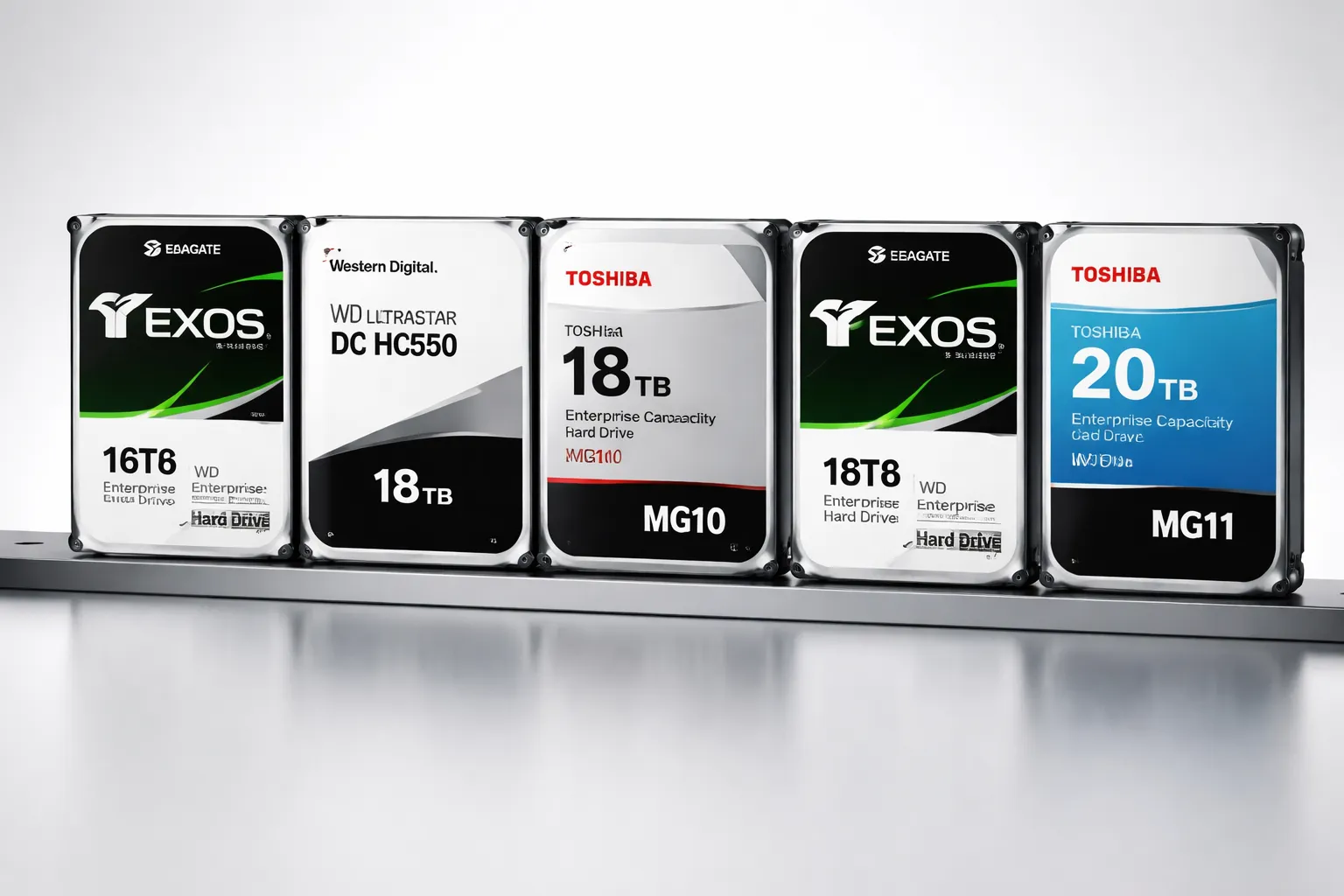
Drives are the heart of your NAS. Get this right.
CMR vs SMR: Why It Matters
| Feature | CMR (Conventional) | SMR (Shingled) |
|---|---|---|
| Write Speed | Consistent | Slows under load |
| RAID Rebuilds | Fast and reliable | Slow, can fail |
| NAS Use | Recommended | Avoid |
| Typical Use | 24/7 enterprise workloads | Cold archives only |
SMR drives write overlapping tracks like shingles on a roof. This saves manufacturing costs but kills performance under sustained writes—exactly what happens during RAID rebuilds. Avoid SMR for NAS.
Best 18-22TB Enterprise Drives (2025)
| Drive | Capacity | Key Specs | Price | Cost/TB |
|---|---|---|---|---|
| Seagate Exos X20 | 20TB | CMR, 2.5M hr MTBF, 5-year warranty | ~$330 | ~$16.50 |
| WD Ultrastar HC560 | 20TB | CMR, OptiNAND, 2.5M hr MTBF | ~$340 | ~$17 |
| Toshiba MG10 | 18-22TB | CMR, 550TB/year workload, helium | ~$320-350 | ~$16-17 |
All three are enterprise-class with 5-year warranties and 2.5 million hour MTBF ratings.
Shucking: Cheaper Drives, More Risk
“Shucking” means buying external USB drives and removing the internal drive. In 2025, 18-20TB WD Elements or Seagate Expansion enclosures sometimes sell for $280-300—about $14-15 per TB.
Risks:
- Voids warranty
- Some contain SMR drives (check model numbers before buying)
- 3.3V pin issue on some WD drives (tape fix required)
For 100TB: Eight 20TB drives cost roughly $2,400 at ~$300 each.
Cases: Your Enclosure Options
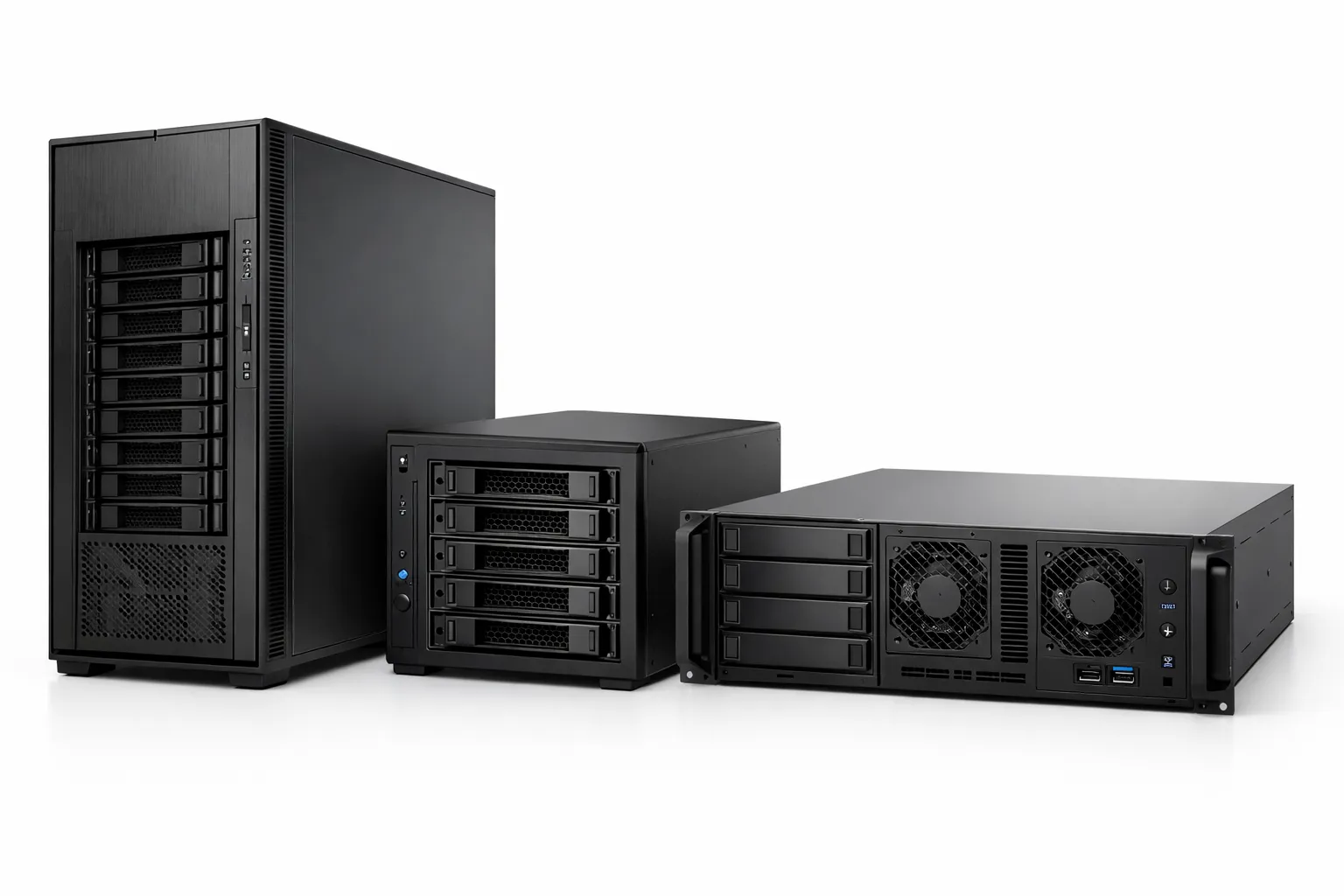
| Case | Form Factor | Drive Bays | Highlights | Price |
|---|---|---|---|---|
| Fractal Define 7 XL | Full Tower | Up to 18 × 3.5” | Sound-damped, modular, E-ATX support | ~$200 |
| SilverStone CS381 | Micro-ATX Cube | 8 hot-swap | Dual orientation, SFX PSU support | ~$250 |
| Fractal Node 804 | Micro-ATX Cube | 10 × 3.5” | Dual-chamber, great airflow, budget | ~$150 |
| Supermicro 4U SC846 | Rack Mount | 24 hot-swap | Professional, front-loading SAS backplane | ~$500+ |
Recommendation: Pick a case with more bays than you need now. Future drive upgrades need space. Hot-swap trays make replacements painless.
HBA and SATA Expansion
 Most motherboards provide only 6-8 SATA ports. Host Bus Adapters (HBAs) add more.
The Gold Standard: LSI 9300-8i
| Spec | Details |
|---|---|
| Controller | SAS3008 |
| Ports | 8 × 12Gb/s SAS/SATA |
| Interface | PCIe 3.0 ×8 |
| Max Devices | 1,024 |
| Price | ~$160 used |
Critical: Flash the firmware to IT mode for ZFS passthrough. The r/DataHoarder wiki has cross-flash instructions. RAID mode causes problems with ZFS.
For 16+ drives: Use two HBAs or the LSI 9400-16i (PCIe 4.0, 16 ports).
Power Supply and UPS
PSU Sizing
Each 3.5” drive draws roughly 25W at spin-up and 8W during operation. Calculate your needs:
| Component | Power Draw |
|---|---|
| 8 × 20TB drives (spin-up) | ~200W |
| Motherboard + CPU (65W TDP) | ~90W |
| HBA + NIC + fans | ~30W |
| Total Peak | ~320W |
Recommendation: 500W 80 Plus Gold PSU gives 25% headroom and efficient operation. Seasonic, Corsair, and Supermicro make reliable units around $90-100.
UPS Requirements
Power failures corrupt ZFS transactions. Always use a UPS.
| Your Load | Minimum UPS Rating | Recommended |
|---|---|---|
| 250W | 500VA (borderline) | 800-1000VA |
| 350W | 700VA (minimum) | 1000-1500VA |
APC, CyberPower, and Eaton line-interactive models protect against brownouts. Connect via USB to TrueNAS and enable automatic shutdown when battery drops low.
TrueNAS: SCALE vs CORE

TrueNAS comes in two flavors. In 2025, the choice is clear.
| Feature | TrueNAS CORE 13.x | TrueNAS SCALE (Community Edition) |
|---|---|---|
| Base OS | FreeBSD | Debian Linux |
| Status | Maintenance only, security patches | Active development |
| Apps | Jails, Bhyve VMs (deprecated) | Docker, Kubernetes (K3s) |
| File Protocols | SMB, NFS, iSCSI, WebDAV, AFP | SMB, NFS, iSCSI |
| Virtualization | Bhyve | KVM, GPU passthrough |
| OpenZFS Version | 2.2 (frozen) | 2.3 (latest features) |
When to Choose SCALE (Almost Always)
- New builds
- Docker and container workloads
- GPU passthrough for Plex transcoding
- RAIDZ expansion (OpenZFS 2.3)
- Better hardware compatibility
- Active development and new features
When to Consider CORE
- Existing FreeBSD jail workflows
- Legacy enterprise environments certified on FreeBSD
- Extreme stability requirements (but SCALE is now mature)
Bottom Line: TrueNAS CORE is in long-term support only. TrueNAS SCALE is the future. iXsystems is unifying both into TrueNAS Community Edition with the 25.04 “Fangtooth” release.
ZFS Pool Configuration
ZFS protects data using vdevs (virtual devices) in different RAID configurations. Your choice balances capacity, performance, and reliability.
RAIDZ Levels Compared
| Level | Parity Drives | Survives | Performance | Space Efficiency |
|---|---|---|---|---|
| RAIDZ1 | 1 | 1 failure | Good | 75-87% (3-8 disks) |
| RAIDZ2 | 2 | 2 failures | Moderate | 67-80% (4-10 disks) |
| RAIDZ3 | 3 | 3 failures | Lower | 60-75% (5-12 disks) |
| Mirror | N/A (copies) | Half drives | Best | 50% |
Why Wide RAIDZ Is Dangerous
Rebuilding large drives takes hours or days. During rebuild, all remaining drives are stressed. With 20TB drives, a second failure during rebuild is catastrophic with RAIDZ1.
Recommendations:
- RAIDZ1: Only for 3-4 small drives or cold archives
- RAIDZ2: 4-6 drives per vdev (sweet spot)
- RAIDZ3: 7-9 drives per vdev
- Mirrors: Best IOPS, fastest resilver, easiest expansion
Recommended Configurations for 100TB
| Configuration | Drives | Usable Space | Best For |
|---|---|---|---|
| Two 4-drive RAIDZ2 vdevs | 8 | ~80TB | Balanced workloads |
| Two 6-drive RAIDZ2 vdevs | 12 | ~160TB | Higher capacity |
| Four 2-drive mirrors | 8 | ~80TB | VMs, databases, high IOPS |
| Three 3-drive mirrors | 9 | ~60TB | Maximum redundancy |
Dataset Best Practices
Create separate datasets for different workloads:
/tank/media- Movies, TV shows (recordsize=1M)/tank/backups- Backup targets/tank/vms- Virtual machines (recordsize=16K)/tank/apps- Docker volumes
Each dataset gets independent quotas, compression settings, and snapshot policies.
Compression: LZ4 vs Zstd
| Algorithm | Speed | Compression Ratio | Best For |
|---|---|---|---|
| LZ4 | Very fast | Good (2-3x typical) | Default for everything |
| Zstd | Fast | Better (3-5x) | Archival, backups |
Enable compression on all datasets. Modern CPUs handle the overhead easily, and you get free space savings.
Caching: ARC, L2ARC, and SLOG
ARC (In-RAM Cache)
ZFS caches frequently accessed data in RAM automatically. More RAM = better performance. This is your primary cache.
L2ARC (SSD Cache)
Extends ARC onto an SSD. Only add L2ARC after maxing out RAM—it’s less effective and consumes RAM for metadata.
SLOG (Sync Write Log)
Stores the ZFS Intent Log for synchronous writes. Improves small-block write latency and protects against power loss.
Requirements for SLOG:
- High-endurance NVMe or Optane
- Power-loss protection (critical!)
- Mirror for redundancy
Special VDEV
OpenZFS 2.1+ supports a special vdev: a dedicated SSD pool for metadata and small files. Speeds up directory listings and searches dramatically for pools with millions of files.
Warning: The special vdev must have the same (or better) redundancy as your main pool. Losing it destroys the entire pool.
Network Architecture
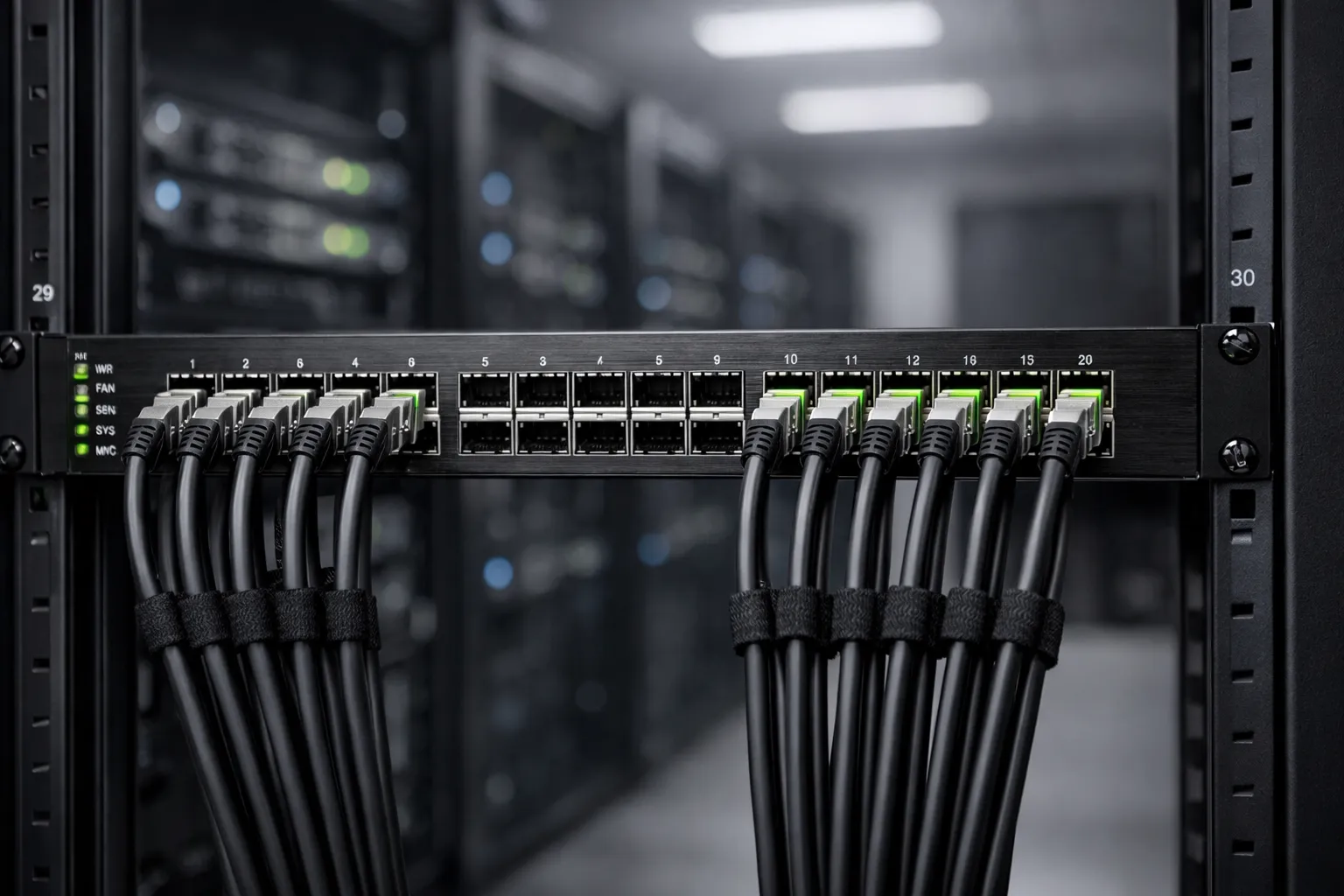
Why Gigabit Isn’t Enough Anymore
Gigabit Ethernet maxes out at ~110MB/s. A single 20TB drive can sustain 250MB/s. Your network becomes the bottleneck.
| Speed | Max Throughput | 100GB Transfer Time |
|---|---|---|
| 1 GbE | ~110 MB/s | 15-20 minutes |
| 2.5 GbE | ~280 MB/s | 6-8 minutes |
| 10 GbE | ~1,100 MB/s | ~90 seconds |
10GbE Options Compared
| Type | Latency | Power | Cable Type | Price |
|---|---|---|---|---|
| SFP+ DAC | ~300ns | ~0.7W/port | Copper (up to 5m) | ~$15 |
| SFP+ Fiber | ~300ns | ~1W/port | LC multi-mode (up to 300m) | ~$50 |
| 10GBASE-T RJ45 | ~2.6µs | ~2.5W/port | Cat6a (up to 100m) | ~$100 |
Recommendation: Intel X520-DA2 or Mellanox ConnectX-3/4 for SFP+. Use DAC cables for short runs (under 5m). RJ45 10GBASE-T works but runs hotter.
Switch Recommendations
| Switch | Ports | Uplinks | Features | Price |
|---|---|---|---|---|
| MikroTik CRS305 | 4 × 10GbE SFP+ | — | Basic, affordable | ~$140 |
| QNAP QSW-M2108-2C | 8 × 2.5GbE | 2 × 10GbE | Managed, VLAN | ~$250 |
| TP-Link TL-SX1008 | 8 × 10GbE | — | Unmanaged, copper | ~$400 |
For most home labs: 2.5GbE for clients, 10GbE uplink between NAS and switch.
Essential Services Setup
SMB Shares
- Create a dataset per share (
media,photos,backups) - Enable Windows-compatible ACLs
- Disable guest access
- Create users and groups with appropriate permissions
- Enable Recycle Bin for personal files (disable for backups)
Snapshot Automation
Snapshots capture dataset state at a point in time. Perfect for recovering from ransomware or accidental deletions.
Problem: Hourly snapshots = 2,232 snapshots in 9 weeks.
Solution: Use tiered retention:
- 24 hourly snapshots (last day)
- 30 daily snapshots (last month)
- 3 monthly snapshots
Total: 57 snapshots cover 3 months.
Backup Strategy: 3-2-1 Rule
Keep three copies of data, on two different media, with one off-site.
| Backup Target | Method | Cost | Best For |
|---|---|---|---|
| Secondary NAS | ZFS replication | Hardware cost | Fast local restore |
| Cloud (B2/Wasabi) | Cloud Sync | ~$5/TB/month | Off-site, irreplaceable data |
| Remote Server | zfs send | zfs recv | Varies | Technical users |
Monitoring
Enable these in TrueNAS:
- SMART monitoring for all drives
- Monthly ZFS scrubs (catches silent corruption)
- Email alerts for pool degradation or high temps
- UPS daemon with automatic shutdown
Sample Builds with Pricing
100TB Build (~$2,500)
| Component | Model | Qty | Price | Subtotal |
|---|---|---|---|---|
| CPU | AMD Ryzen 5 5600G | 1 | $170 | $170 |
| Motherboard | Supermicro X12STH-F | 1 | $350 | $350 |
| RAM | 2 × 16GB DDR4 ECC | 1 set | $140 | $140 |
| Storage | Seagate Exos X20 20TB | 5 | $330 | $1,650 |
| HBA | LSI 9300-8i (IT mode) | 1 | $160 | $160 |
| PSU | Seasonic Focus GX-550 | 1 | $90 | $90 |
| Case | Fractal Node 804 | 1 | $150 | $150 |
| NIC | Intel X520-DA2 10GbE | 1 | $80 | $80 |
| Misc | Fans, cables, UPS | — | $200 | $200 |
| Total | ~$2,540 |
Five drives as two mirrored pairs + spare = ~80TB usable. Upgrade to eight drives for full 100TB.
150TB Build (~$3,500)
| Component | Model | Qty | Price | Subtotal |
|---|---|---|---|---|
| CPU | Intel Xeon E-2324G | 1 | $350 | $350 |
| Motherboard | Supermicro X12STH-F | 1 | $350 | $350 |
| RAM | 4 × 16GB DDR4 ECC | 1 set | $280 | $280 |
| Storage | WD Ultrastar HC560 20TB | 8 | $340 | $2,720 |
| HBA | LSI 9300-8i | 1 | $160 | $160 |
| PSU | Corsair RM650x Gold | 1 | $110 | $110 |
| Case | Fractal Define 7 XL | 1 | $200 | $200 |
| NIC | Mellanox ConnectX-4 Lx | 1 | $150 | $150 |
| UPS | APC BX1500M (1500VA) | 1 | $200 | $200 |
| Total | ~$3,520 |
Eight drives as two 6-drive RAIDZ2 vdevs = ~120TB usable.
200TB Build (~$7,700)
| Component | Model | Qty | Price | Subtotal |
|---|---|---|---|---|
| CPU | AMD EPYC 7232P | 1 | $400 | $400 |
| Motherboard | ASRock Rack SPC621D8 | 1 | $600 | $600 |
| RAM | 128GB ECC RDIMM | 1 set | $600 | $600 |
| Storage | Toshiba MG10 20TB | 12 | $330 | $3,960 |
| HBA | LSI 9400-16i (PCIe 4.0) | 1 | $300 | $300 |
| PSU | Seasonic PRIME PX-1000 | 1 | $230 | $230 |
| Case | Supermicro 4U SC846 | 1 | $600 | $600 |
| NIC | Intel X710-DA4 | 1 | $300 | $300 |
| UPS | Eaton 9PX 3000VA | 1 | $700 | $700 |
| Total | ~$7,690 |
Twelve drives as two 6-drive RAIDZ2 vdevs = ~160TB usable. Room for 12 more drives.
Common Mistakes to Avoid
- Mixing drive sizes or SMR/CMR: ZFS limits capacity to the smallest drive in a vdev
- Under-sizing PSU: Boot failures happen when PSU can’t handle spin-up current
- Skipping ECC RAM: Not mandatory, but reduces silent corruption risk
- No backups: ZFS is not a backup—use replication or cloud sync
- Too-wide RAIDZ vdevs: Stay at 4-6 drives per vdev for reasonable rebuild times
- Poor cooling: Drives need airflow—high temps shorten lifespan
- No expansion planning: Start with more bays than you need
Future-Proofing Your Build
OpenZFS 2.3 RAIDZ Expansion
Available now in TrueNAS 25.04 “Fangtooth”. Add drives to existing RAIDZ vdevs one at a time. Game-changer for home users, but the rebalancing process takes days on large pools.
Drive Upgrade Path
Replace drives gradually:
- Buy larger drive pair
- Mirror them and resilver
- Retire smallest pair
- Repeat every 2 years
This expands capacity while refreshing warranties.
Network Evolution
25GbE is coming to consumer pricing. Many new NICs support 25GbE at costs similar to 10GbE. Plan PCIe slots and cabling for future upgrades.
Worked Example: 100TB Plex + VM Server
A content creator wants 100TB usable, quiet operation, and future expansion for a Plex library and KVM virtual machines.
Hardware Selection:
- Case: Fractal Define 7 XL (18 bays, sound-damped)
- PSU: Seasonic Focus GX-650 Gold
- Motherboard: Supermicro X12STH-F + Xeon E-2346G
- RAM: 64GB ECC DDR4
- Storage: 8 × Seagate Exos X20 20TB (two 6-drive RAIDZ2 vdevs)
- Cache: 2 × Samsung 870 QVO 4TB as mirrored special vdev
- SLOG: Intel Optane P4801X 100GB
- Network: Intel X520-DA2 10GbE + MikroTik CRS305 switch
Software Configuration:
- Install TrueNAS SCALE
- Create pool with two RAIDZ2 vdevs + mirrored special vdev
- Enable LZ4 compression
- Create datasets:
Plex,VMs,Backups - Deploy Plex via Docker
- Configure GPU passthrough for transcoding
- Set up hourly/daily/monthly snapshots
- Replicate to Backblaze B2
Cost: ~$4,000 including UPS. Enterprise reliability, 10GbE throughput, room for 10+ more drives.
Final Checklist
- Define requirements (current + 5-year growth)
- Select hardware (favor ECC memory and IPMI)
- Plan network (2.5GbE minimum, 10GbE recommended)
- Assemble and burn-in (memtest + drive tests for 24+ hours)
- Install TrueNAS SCALE
- Configure pool and datasets
- Set up users, shares, and snapshots
- Implement off-site backup
- Enable monitoring and alerts
- Keep at least one cold spare drive
Sources and References
- TrueNAS Scale vs TrueNAS Core - XDA Developers
- CMR vs SMR: What’s the Difference - SecureDataRecovery
- Supermicro X12STH-F Specifications
- Best CPU for NAS 2025 - LincPlus Tech
- LSI SAS 9300-8i Review - StorageReview
- Power Supply Sizing - TrueNAS Community
- UPS Guide for NAS - NAS Compares
- 10GBASE-T vs SFP+ Comparison - FS.com
- OpenZFS Snapshots Best Practices - Klara Systems
- TrueNAS Hardware Guide - TrueNAS Docs
- Best Hard Drives 2025 - Tom’s Hardware
- Seagate Exos X20 Specifications
- WD Ultrastar DC HC560 - Western Digital
- Toshiba MG Series Enterprise Drives
- Fractal Define 7 XL Specifications
- SilverStone CS381 Specifications
- Fractal Node 804 Specifications
- 80 Plus Certification Explained - Seasonic
- Mirror vs RAIDZ - JRS Systems
- ZFS Pool Layout Guide - Klara Systems
- ZFS Compression with LZ4 - QuestDB
- ZFS Caching Explained - 45Drives
- OpenZFS vdev Types - Klara Systems
- Home Lab Network Upgrades 2025 - Virtualization Howto
- OpenZFS 2.3 RAIDZ Expansion - The Register
- TrueNAS Fangtooth OpenZFS 2.3 - TrueNAS Blog
- TrueNAS Core vs Scale Comparison - WunderTech
- WD Ultrastar HC560 Review - NAS Compares
Share :
Stay Ahead in Tech
Join thousands of developers and tech enthusiasts. Get our top stories delivered safely to your inbox every week.
No spam. Unsubscribe at any time.